
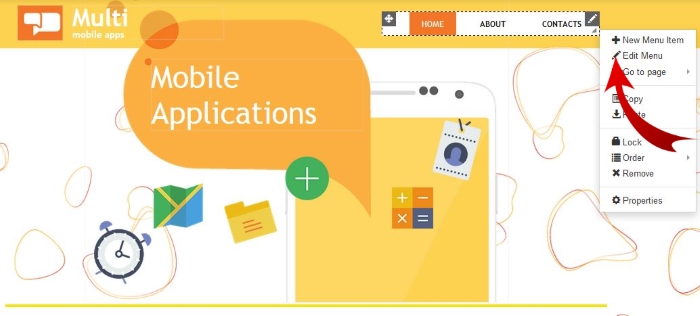
1. Right click on the navigation menu and select "Edit Menu"
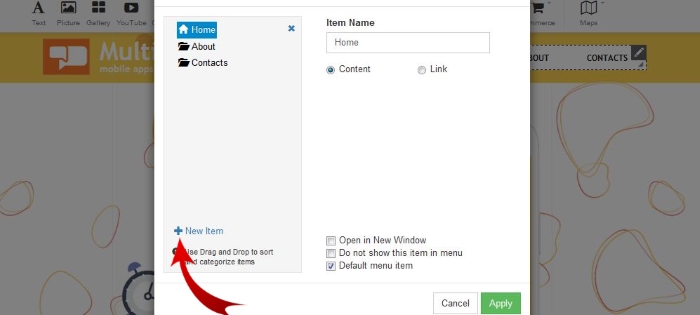
2. Click on “+New Item”
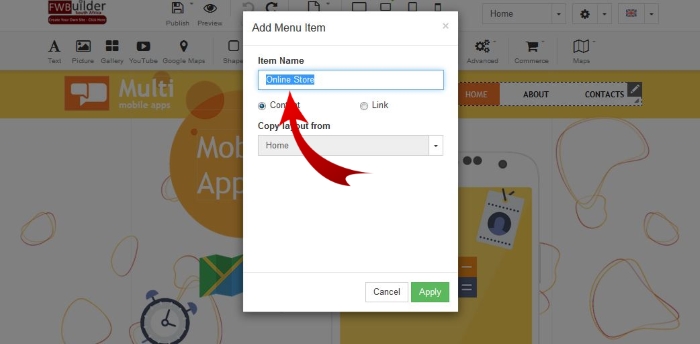
3. Rename the "Item Name" to your new page name and "Apply"
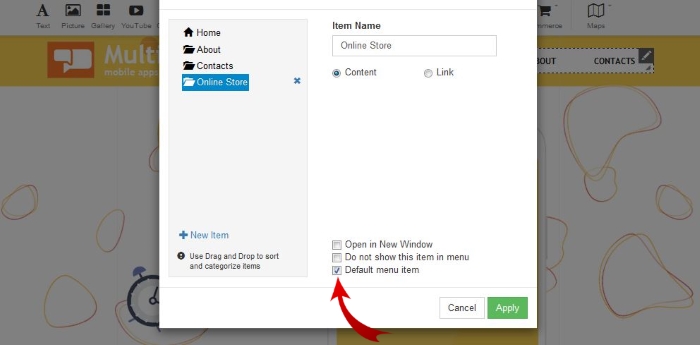
4. Select "Default Menu Item"
Great...That was super EASY.
P.S: If you don't want the new page in your Menu simply Un-tick the "Default menu" item. The page will be hidden from the menu. But you can still link to the page.
For more information view additional knowledgebase articles...
