
Free Website Builder SA
  • 0 Shopping Cart
  • Home
  • Store
    • Browse All
    • Website Builder
    • Register a New Domain
    • Transfer Domains to Us
  • Announcements
  • Knowledgebase
  • Network Status
  • Contact Us
  • More
  • Account
    • Login
    • Register
    • Forgot Password?
  1. Portal Home
  2. Knowledgebase
  3. How to
  4. How to add Social Media to your website

  Categories

Bandwidth Limit Exceeded
1
Create a Website
4
How to
31
How to track Statistics
1
Personalized domain Email Address
1
Search Engine Optimization - SEO
1
Website BackUp
1
Website Builder Tutorials
16
Website Shopping Cart
2

  Categories

  Support

My Support Tickets
Announcements
Knowledgebase
Downloads
Network Status
Open Ticket

How to add Social Media to your website Print

  • 2

ADD SOCIAL MEDIA TO YOUR WEBSITE

In order to add a social media to your website, follow these easy steps:

STEP 1:

In order to add skype to your website, click on the social button:
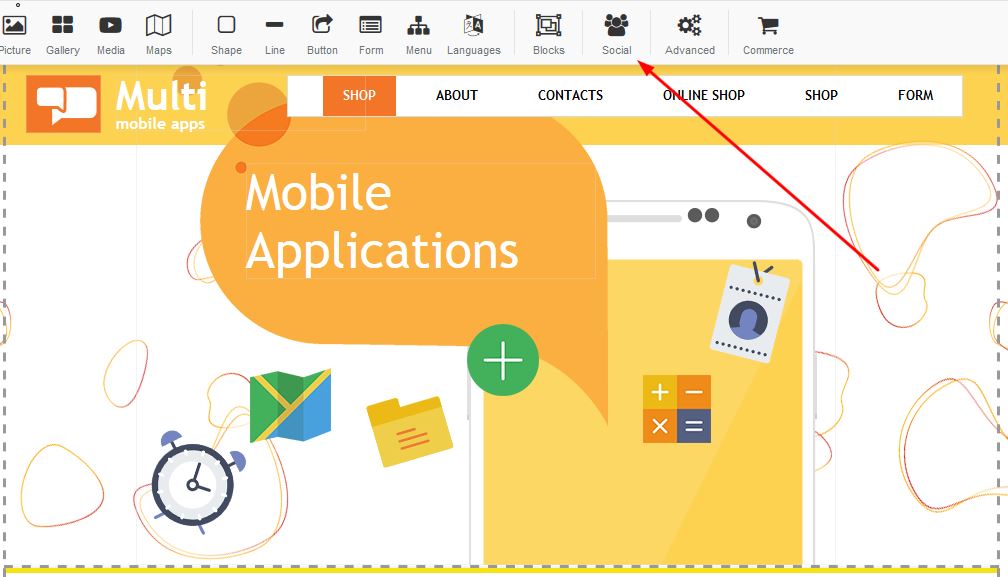

Adding social media to your website

STEP 2:

There are a variety of social media options you are able to add to your website. Select the option of choice and click apply:
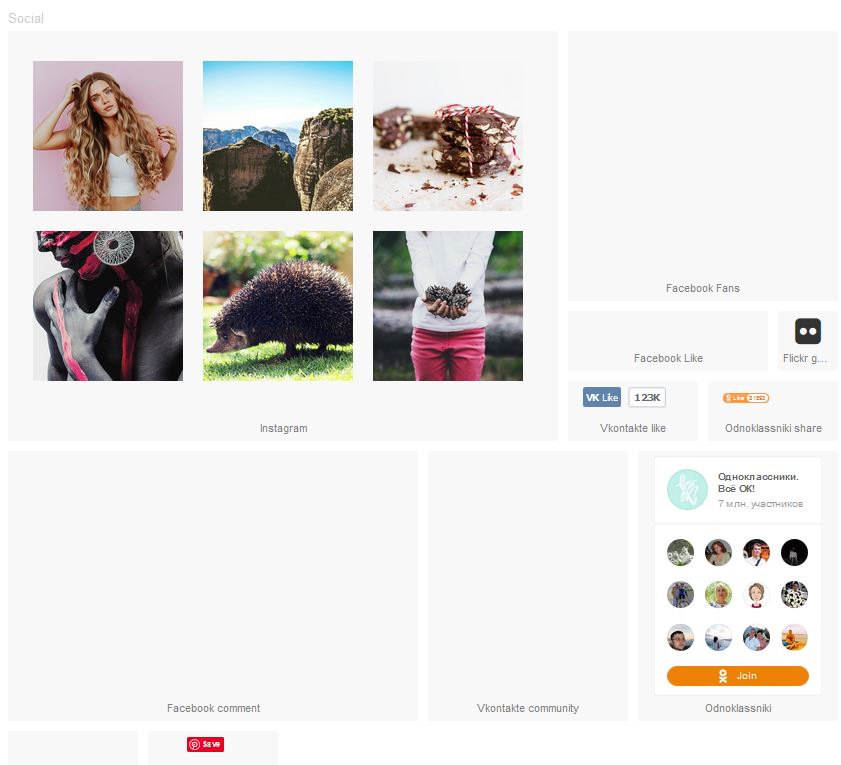
Adding social media to your website


Was this answer helpful?

Related Articles

Create a New Page Create a new website page1. Right click on the navigation menu and select "Edit Menu"   2.... How to upgrade your account How to upgrade you current package1. Login to your FWBuilder2. Click on Manage Websites3. Under... How to view your emails How to login to your emails. 1. Login to your FWBuilder2. Click on Manage website3. Your products... How to add a gallery Adding a Gallery: In order to add an image to your website you need to drag the image to your... How to add a youtube video Adding Youtube: Drag the youtube link to your desired page on your builder.In order to add a...
« Back

  Support

My Support Tickets
Announcements
Knowledgebase
Downloads
Network Status
Open Ticket
  • Contact Us

Copyright © 2026 Free Website Builder SA. All Rights Reserved.


Loading...
Loading...
Choose language
العربية
Azerbaijani
Català
中文
Hrvatski
Čeština
Dansk
Nederlands
English
Estonian
Persian
Français
Deutsch
עברית
Magyar
Italiano
Macedonian
Norwegian
Português
Português
Română
Русский
Español
Svenska
Türkçe
Українська

Generate Password

Please enter a number between 8 and 64 for the password length